How to Clean a Portable Dryer Lint Filter
To clean a portable dryer lint filter, remove it as the manual directs, clear away lint, and let it dry fully before reinstalling. Check the filter after every load, and don't run the dryer with a damaged or missing filter.
On this page (7 sections)
- How do you clean a portable dryer lint filter?
- Should you rinse a lint filter with water?
- What should you check before reinstalling the filter?
- What if lint keeps collecting around the filter?
- How do you clean a smaller portable dryer filter?
- When should you replace a portable dryer lint filter?
- How can you keep a portable dryer lint filter clean?
To clean a portable dryer lint filter, remove it as the manual directs, clear away lint, and let it dry fully before reinstalling. Check it after every load, and don't run the dryer with a damaged or missing filter.
A clean filter helps keep lint from building up in the dryer and supports airflow. The exact filter location and removal method vary, so use the instructions for your model.
How do you clean a portable dryer lint filter?
Switch off the dryer, remove the filter, clear the lint, and reinstall it securely. Follow the manual for your dryer's filter location and whether it can be rinsed.
- Turn off the dryer and wait until the drum and filter area are cool.
- Remove the lint filter as shown in the manual.
- Pull lint from the screen by hand, working gently so you don't tear it.
- If the manual permits washing, rinse off residue and let the filter dry completely.
- Check the filter and its frame for tears, cracks, or a poor fit.
- Reinstall it fully before starting another load.
Clean the filter after each load. Keep lint away from the dryer opening and surrounding floor as you remove it.
Should you rinse a lint filter with water?
Rinse a lint filter only if your manual allows it. Some filters are intended to be cleared by hand, and water can leave a screen damp if you reinstall it too soon.
If rinsing is permitted, use water without a harsh scrubber. Set the filter aside until every part is dry, then reinstall it according to the manual.
Don't use the dryer to dry the filter. Running the appliance with a wet, damaged, or missing filter can create problems and may let lint pass through.
What should you check before reinstalling the filter?
Look for damage and make sure the filter sits firmly in its slot. A torn screen, cracked frame, or loose fit can let lint bypass the filter.
Check the screen in good light. If lint is caught in corners, brush it away gently rather than pulling hard on the mesh.
A portable dryer has other parts that affect airflow, including its exhaust filter or vent setup, depending on the model. For a broader explanation of how these parts work, see how a portable dryer works.
Which portable dryer has a cotton lint filter?
The Euhomy 3.5 cu ft Compact Dryer has a cotton filter, along with an exhaust pipe and a front-loading design. Its instructions describe regular filter cleaning, so follow the manual's steps for removal and care.
Check that the filter is seated correctly before using the dryer. The maker describes three layers of cotton wool filters, but the manual should guide cleaning and replacement for your unit.
What if lint keeps collecting around the filter?
Clean and reseat the filter first, then inspect it for damage. If lint continues to get past the screen, stop using the dryer until you can check the manual or contact the manufacturer.
Make sure the filter matches the dryer and sits flush in its housing. A replacement that looks similar may still have the wrong shape or fit.
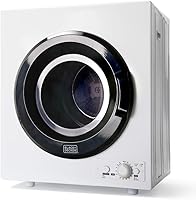
The BLACK+DECKER 3.5 cu ft Portable Dryer includes lint and exhaust filters. Keep both clean as its manual directs, and check the model before looking for a compatible replacement.
For a replacement screen, search using the exact dryer model number and confirm the part is made for that model. A search for “lint filter replacement black and decker” can show options, but the dryer model and fit matter more than the brand name alone.
If the dryer is taking longer to dry or has stopped heating, a clogged filter may be one thing to check, but it may not be the cause. See why a portable dryer may not be heating for other checks.
How do you clean a smaller portable dryer filter?
Use the same basic steps, while following the model's own instructions. The Euhomy 2.65 cu ft Portable Dryer has a multilayer filter that captures lint and pet hair.
Remove the filter as described in the manual, clear away lint, and check for wear before reinstalling it. The product information recommends regular filter cleaning but doesn't specify a washing method, so don't rinse it unless the manual allows that.
Avoid overloading the dryer, which can interfere with airflow and drying. If you're comparing dryer types and setup needs, start with our guide to portable washers and dryers for small homes.
When should you replace a portable dryer lint filter?
Replace the filter if the screen is torn, its frame is cracked, or it won't stay in place. A damaged filter can't catch lint as intended, and a poor fit may allow lint into the dryer.
Use the model number from the appliance label and check the manual or manufacturer support for a matching part. Don't rely on dimensions or a generic description alone.
If the filter appears intact but lint still escapes, check that it's installed the right way and that other filters or vents are clean. For cleaning a washer in the same laundry area, read how to clean a portable washing machine.
How can you keep a portable dryer lint filter clean?
Clear the filter after each load and check its condition regularly. Keep the area around the dryer clear, and follow the manual for any additional filters and exhaust parts.
A quick routine helps you spot damage before the next cycle:
- Remove lint after every load.
- Reinstall the filter fully before drying.
- Rinse only when the manual allows it, then dry completely.
- Replace a torn or cracked filter with a model-matched part.
- Clean other filters and vent parts on the schedule in the manual.
If lint keeps bypassing a clean, correctly seated filter, stop using the dryer and ask the manufacturer for guidance. Use the manual for your exact model whenever its instructions differ from these general steps.
Frequently asked questions
How often should I clean a portable dryer lint filter?
Clean the lint filter after every load, or follow the dryer manual if it gives a different schedule. Check for lint buildup before starting another cycle, since a clogged filter can restrict airflow.
Keep the filter area clear and inspect the screen for tears or gaps as you clean.
Can I wash a portable dryer lint filter?
Only wash the filter if the dryer manual says it can be washed. Some lint screens are meant to be cleared by hand, while others may allow occasional rinsing to remove residue.
If you rinse it, let it dry completely before reinstalling it, and never run the dryer with a wet filter.
How do I know if a dryer lint filter needs replacing?
Replace a filter if its frame is cracked, its mesh is torn, or it no longer fits securely in the slot. A damaged screen can let lint pass into the dryer.
Check the model number and manual before ordering, because filter shape and fit vary by dryer.
Why does lint collect around a portable dryer filter?
Lint can collect around the filter when the screen is full, poorly seated, or damaged. Remove and clean the filter, then reinstall it so it sits firmly in its housing.
If lint keeps bypassing the screen, stop using the dryer and check the manual or contact the manufacturer.